New feature
Attach Screenshots and Videos to Tasks and Comments
Show the bug instead of describing it. Attach images and short videos to any task or comment by clicking, dragging or pasting, and open them full size in one click.
· 3 min read · By Scriptimiz Insight LLP
A screenshot or a ten-second screen recording often explains a problem better than a paragraph. Every task and every comment in TaskFlow can now have images and videos.
On a task
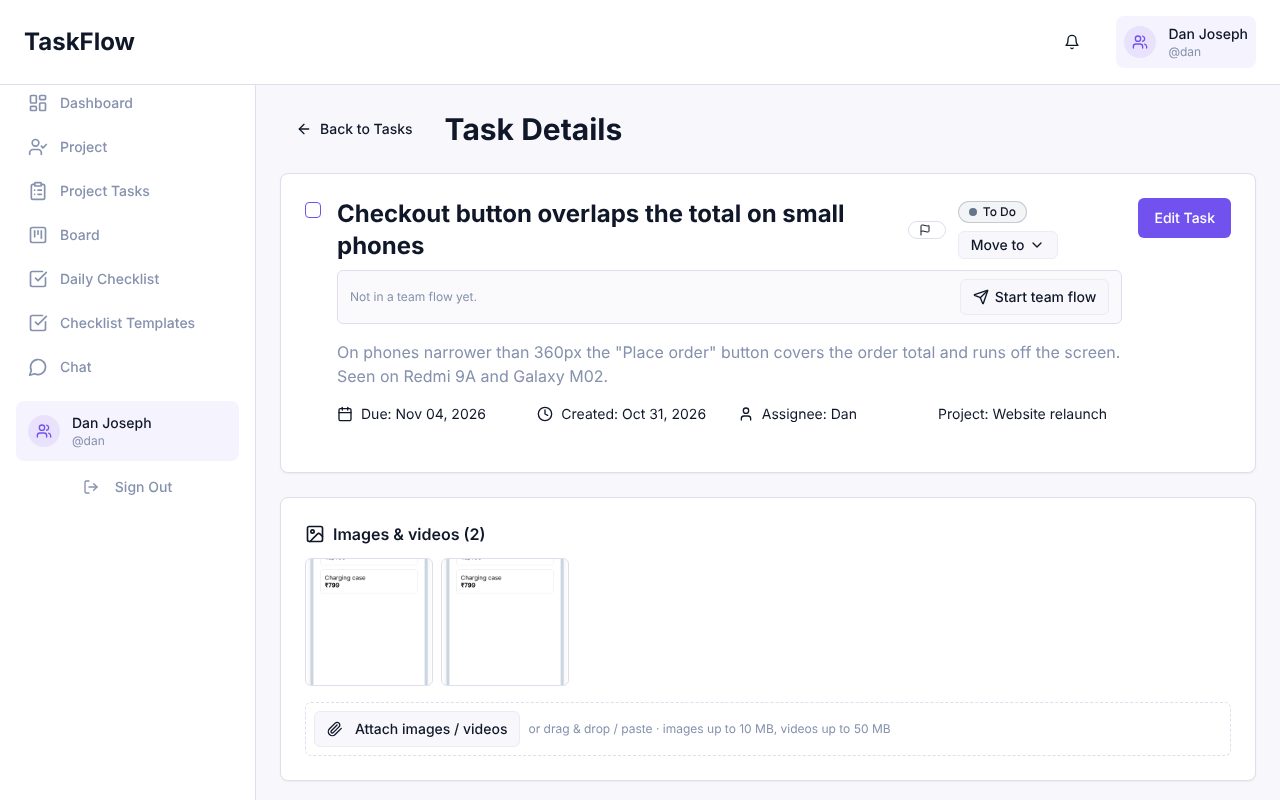
The Images & videos section on the task page shows everything attached to the task. Click Attach images / videos, drag files onto the box, or paste a screenshot. Click a thumbnail to open it full size; videos play right in the page.
In a comment
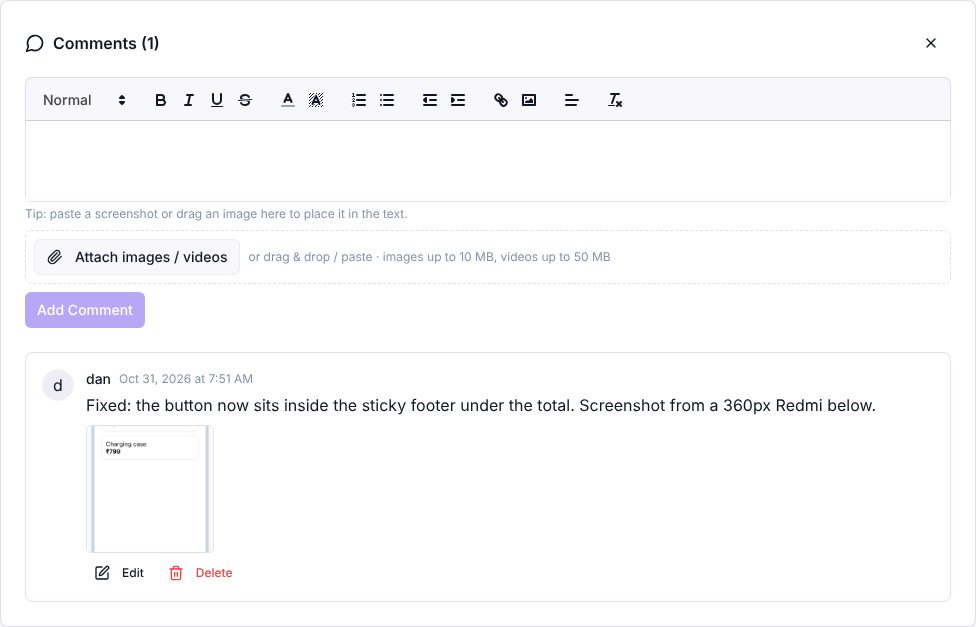
Add images or a video to a comment the same way, then post. They appear under the comment text.
- Images up to 10 MB (JPEG, PNG, GIF, WebP) and videos up to 50 MB (MP4, WebM, MOV).
- Several files at once, with an upload progress bar.
- Only people in your company can open the files.
- The person who uploaded a file, or a manager, can delete it.
Try it in your company
Sign up free and set it up in a few minutes.
Get Started Free →