New feature
Daily Checklists: Routine Jobs That Show Up Every Morning
Managers set up repeating jobs once, like checking backups or replying to the support inbox, and assign them to people. Each person gets a fresh checklist every day.
· 4 min read · By Scriptimiz Insight LLP
Some work isn't a project task. It's the same small job every day: check last night's backups, reply to the support inbox, post standup notes. These are easy to forget and hard to track in a task list. Daily checklists are made for them.
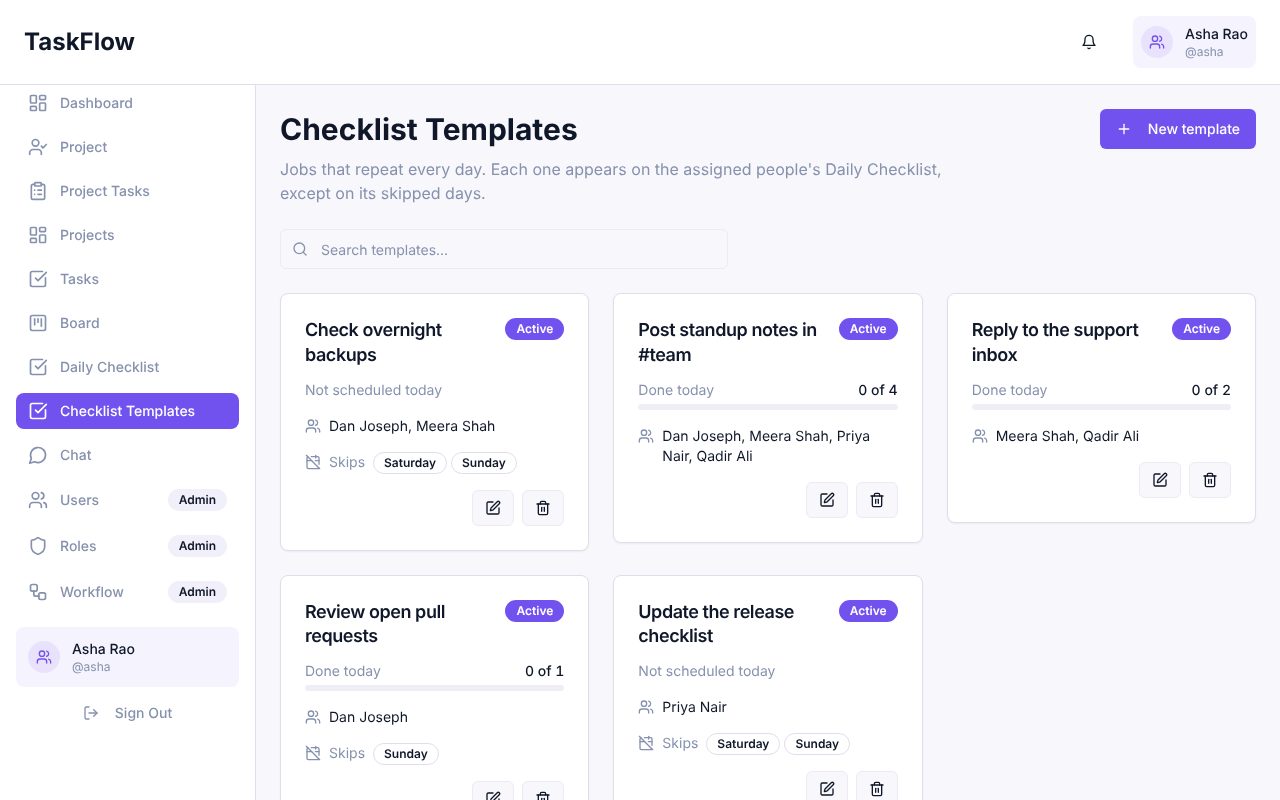
Managers: create checklist templates
A checklist template is a repeating job. Give it a name, assign it to one or more people, and choose any days it should be skipped (for example weekends). Each card shows who it is assigned to and how many people have done it today.
Everyone: tick off today's list
Every morning each person's Daily Checklist page is filled with their jobs for the day. Tick items as you finish them. You can also add one-off items just for today, like renewing a certificate.
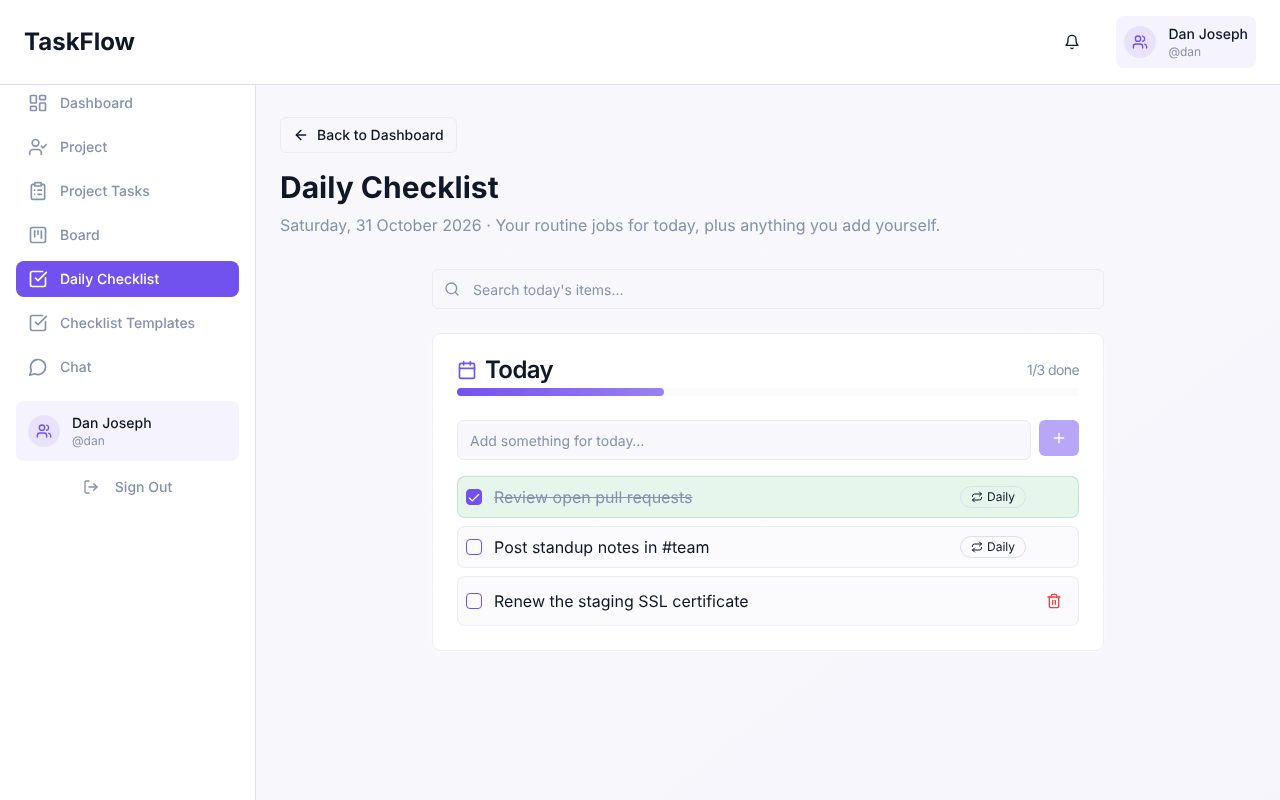
- Lists are created automatically each morning, and also when someone opens the page.
- Skipped days are respected, so weekend jobs don't appear on Saturday.
- Changing a template's assignees updates today's lists straight away.
- Items missed in the last two weeks are shown so nothing slips through.
Try it in your company
Sign up free and set it up in a few minutes.
Get Started Free →